

- Find “Game Settings”.
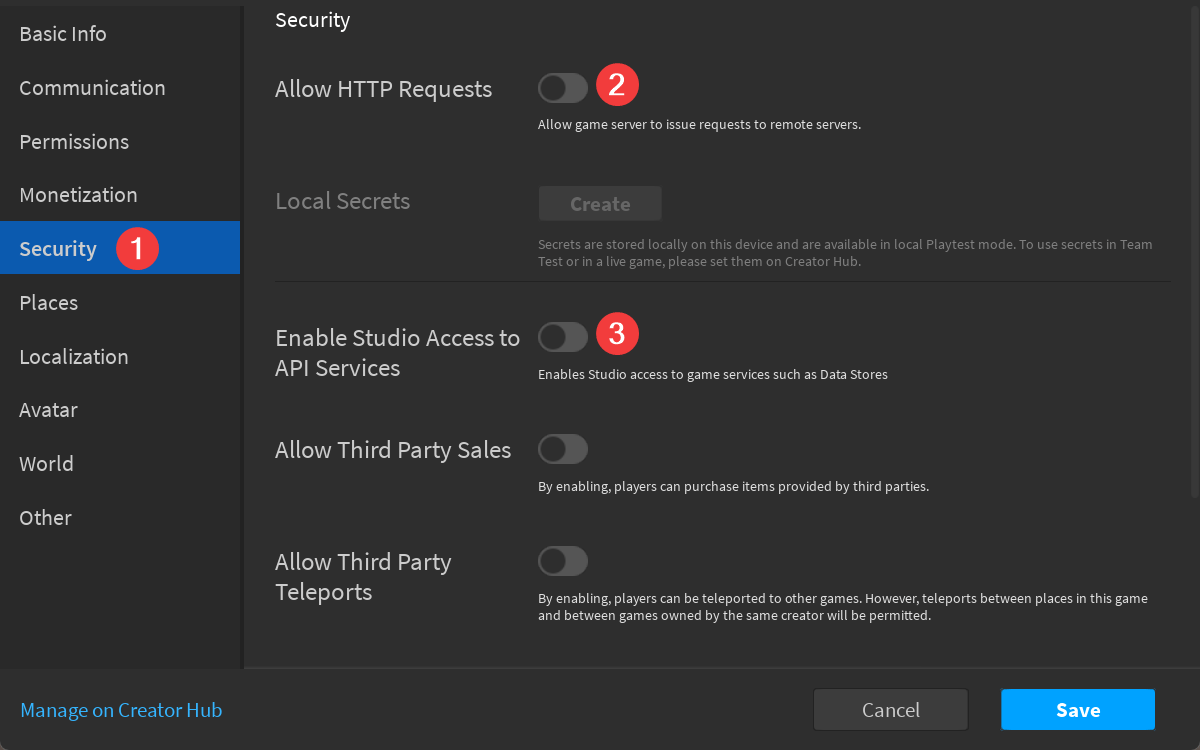
- A GUI will pop up. Click on “Security”, then enable “Enable Studio Access to API Services” and “Allow HTTP Requests”.
Lost or can’t find something?
Watch the YouTube video below.We are not affiliated with the creator of the video above.